AI Vehicle Paperwork System: Organize, Track, and Save
Why vehicle paperwork becomes a problem (and when it costs money)
Vehicle records tend to scatter because they’re created in different places and formats: a paper invoice from the shop, a PDF in an email thread, a photo of the odometer, a renewal notice from the DMV, and an insurance card buried in an app. Over time, even organized drivers end up with duplicate PDFs, unlabeled photos, and missing receipts that matter later.
The issues show up at the worst moments: an insurance claim that needs proof of coverage, a roadside stop where registration is expired, a lease return that asks for maintenance history, or a trade-in negotiation where a clean service timeline could add value. The hidden costs add up—late fees, denied reimbursements, warranty disputes, and a lower resale price when service history can’t be documented.
A reliable vehicle document system has three goals: fast retrieval (within seconds), a clear timeline (what happened and when), and dependable backups (so the one file you need is never “somewhere on an old phone”).
What an AI-based document assistant can do for car owners
A lightweight AI workflow can help turn a pile of mixed files into a consistent record—without requiring a complicated app or a full spreadsheet obsession.
- Organize: suggest a folder structure plus naming rules that work for scans, photos, PDFs, and emails.
- Extract: pull key fields into a simple log (dates, odometer, vendor, cost, policy numbers, VIN).
- Remind: build a renewal and maintenance calendar from existing documents so deadlines are harder to miss.
- Standardize: generate quick templates for service notes, mileage logs, and incident reports.
- Summarize: create a clean “vehicle record” summary that’s easy to share for resale or warranty conversations.
- Support multiple vehicles: keep separate profiles for household cars, motorcycles, a classic car, or a small fleet.
It’s still important to verify extracted details (especially amounts, dates, and odometer readings), but AI can remove the repetitive work that makes organizing feel impossible.
A practical setup: the 30-minute foundation
The fastest systems are the ones that are easy to maintain. Start with one “source of truth,” then make it simple to file new items.
1) Pick one storage location
Choose a single primary location: a cloud drive, a password manager that supports attachments, or an encrypted folder that syncs and backs up. The best choice is the one that’s accessible when you need it (including from your phone).
2) Create a consistent folder tree
Use a structure that matches how paperwork is used in real life. A practical baseline:
Vehicle → Identity → Ownership → Compliance → Insurance → Maintenance → Repairs → Warranty → Taxes/Expenses → Photos
3) Adopt a naming convention
Use a filename format that sorts correctly and answers the “what is this?” question at a glance:
YYYY-MM-DD_Vendor_DocType_Amount_Odometer (include what’s relevant)
4) Define one “Inbox” folder
Create an Inbox folder for unprocessed receipts, screenshots, and photos. This prevents important items from living forever in camera rolls, email, or texts.
5) Decide what gets scanned and saved
Prioritize documents that are hard to replace or commonly requested: title documents, registration, insurance cards, purchase agreement, warranty booklets, and major repair invoices.
6) Backups: follow a 3-2-1 approach
Car document checklist and how long to keep each item
| Document type | Where to store (suggested folder) | Keep for | Why it matters |
|---|---|---|---|
| Title / lien release | Ownership | As long as owned (and longer for records) | Proof of ownership and transfer |
| Registration | Compliance | Until replaced + prior year | Roadside proof and renewals |
| Insurance policy + ID cards | Insurance | Current policy + prior policy | Claims, coverage verification |
| Purchase agreement / bill of sale | Ownership | As long as owned | Tax, resale, disputes |
| Maintenance receipts (oil, tires, brakes) | Maintenance | Life of ownership | Resale value and warranty support |
| Major repairs (engine, transmission, bodywork) | Repairs | Life of ownership | Claims, diagnosis history, resale transparency |
| Warranty documents | Warranty | Through warranty term + extra buffer | Coverage details and claim requirements |
| Mileage / expense log (if used for business) | Taxes/Expenses | Per local tax rules (often several years) | Audit support and deductions |
How to use an AI assistant safely with sensitive vehicle records
For vehicle identity checks and verification, the NHTSA VIN Decoder is a helpful official reference for confirming VIN details.
Workflows that keep the system up to date
For ownership and purchase basics, USA.gov guidance on buying a car and the FTC’s used car paperwork overview are solid references.
Common mistakes to avoid
Digital download guide: what to expect and how to get results quickly
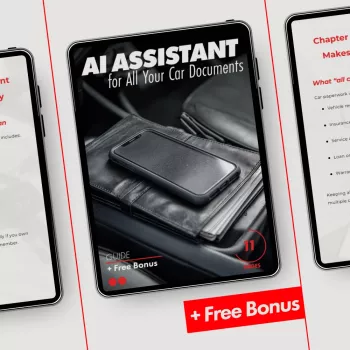
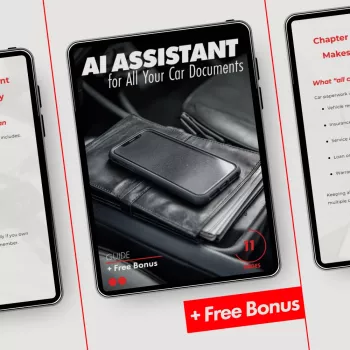
For a ready-made setup that’s easy to follow, see AI Assistant for All Your Car Documents (digital download). It includes a practical structure for organizing vehicle records, plus prompts and checklists to create summaries, timelines, and reminders without overcomplicating the process.
If you’re building a more organized household system overall, Simple Ways to Control Pet Hair at Home (Digital Download) is another quick-reference guide designed for routines that stay manageable.
FAQ
What car documents should always be kept as originals versus digital copies?
Keep originals of the title, lien release, and any notarized ownership documents in a secure location (like a safe). Maintain digital copies for quick reference, and keep digital versions of registration and insurance cards for convenience on the road.
Can an AI assistant create a maintenance history from receipts and photos?
Yes—AI can help extract dates, vendors, costs, and odometer readings into a timeline, especially when filenames and folders are consistent. Always keep the originals and spot-check key details for accuracy before relying on the summary for warranty claims or resale.
How can vehicle records be stored securely when using digital tools?
Use encrypted storage where possible, strong passwords with 2FA, and separate shareable folders from private folders that contain sensitive IDs and full policies. Redact unnecessary numbers before sharing, and maintain routine backups so a lost phone or account issue doesn’t wipe out your records.















Leave a comment