Build a Personalized AI Travel Itinerary in Minutes
Travel Smarter, Not Harder: Use AI to Build a Personalized Itinerary Fast
Planning a trip can feel like a second job: endless tabs, conflicting reviews, and a schedule that still doesn’t match real-life pace. AI-assisted planning streamlines the heavy lifting—turning preferences, timing, and budget into a clear day-by-day plan that’s easy to adjust. The key is using AI as a fast draft engine, then doing a quick human verification pass so the plan works in the real world (hours, tickets, transit, and closures). Below is a practical approach for getting an itinerary you’ll actually enjoy following.
What AI Helps With (and What Still Needs a Human Check)
AI is great at turning scattered ideas into structure. It can generate a workable starting point in minutes, especially when you provide clear constraints.
- Speed: get a draft itinerary quickly, then refine instead of starting from scratch.
- Personalization: match neighborhoods, interests, mobility needs, and travel style (slow travel vs. packed days).
- Optimization: cluster activities by area to reduce backtracking and wasted transit time.
- Decision support: summarize tradeoffs like time vs. cost vs. crowds.
- Reality checks still required: opening hours, reservation rules, seasonal closures, local holidays, and live transit changes.
Best results come from treating AI as a planning assistant—not a final authority. For essential logistics and safety updates, use official sources like U.S. Department of State – International Travel and CDC – Travelers’ Health.
The Fastest Way to Get a Great Itinerary: Inputs That Matter
AI output is only as usable as the inputs you give it. When you’re specific about time, pace, and limits, the itinerary stops looking like a wish list and starts looking like a plan.
- Start with constraints: trip dates, arrival/departure times, lodging address (or neighborhood), and must-do items.
- Add preferences: pace (relaxed/average/packed), interests (food, museums, outdoors), and crowd tolerance.
- Set practical limits: daily start time, maximum walking per day, and preferred meal times.
- Include budget signals: free/low-cost focus, one “splurge” meal, or mid-range everything.
- Share traveler details: kids, seniors, accessibility needs, allergies, or stroller-friendly routes.
- Ask for options: request two versions (like a rainy-day backup and a sunny-day plan).
One extra detail that improves results: mention what you want to avoid (for example, “no nightlife,” “no long museum days,” or “no long hikes”). It helps AI cut noise instead of adding more choices.
A Simple AI Planning Workflow That Produces Usable Results
Use this workflow to go from “ideas” to an itinerary you can actually follow on the ground:
- Generate a shortlist of areas: ask for neighborhoods that fit your goals and are efficient from your lodging location.
- Request a day-by-day plan: use morning/afternoon/evening blocks and include realistic buffers.
- Ask for transit notes: walk vs. public transit vs. rideshare, plus travel time ranges.
- Add reservation checkpoints: call out what needs booking and suggested time windows.
- Validate critical details: confirm opening hours and closures on official sources shortly before locking plans.
- Convert to “on-the-go” format: turn the plan into a map list and a checklist for quick reference.
To sanity-check geography and reduce zig-zagging, pair the draft with a mapping tool and visually confirm clusters (for example, using Google Maps – Explore).
Copy-and-Use Requests That Improve AI Itineraries
If your itinerary drafts tend to come back overstuffed or unrealistic, use language that forces pacing, grouping, and buffers:
Example Day Plan Format (Reusable Template)
| Time | Plan | Area | Transit | Notes |
|---|---|---|---|---|
| 9:30–11:30 | Top attraction / museum | Central district | Walk / metro | Buy tickets ahead if available |
| 11:30–12:15 | Coffee + local bakery stop | Nearby streets | Walk | Choose 1–2 items; keep it quick |
| 12:15–13:45 | Lunch | Food neighborhood | Transit 15–25 min | Avoid peak queue times |
| 14:00–17:00 | Park / viewpoint / shopping loop | Same area | Walk | Swap with rainy-day option if needed |
| 17:00–18:30 | Rest + freshen up | Hotel | Transit | Buffer for delays |
| 19:00–21:00 | Dinner + evening stroll | Restaurant zone | Walk / rideshare | Reserve if popular |
Common Pitfalls and How to Avoid Them
Turn an AI Draft Into a Trip-Ready Plan
A Guided Option for Building Faster, Personalized Trips
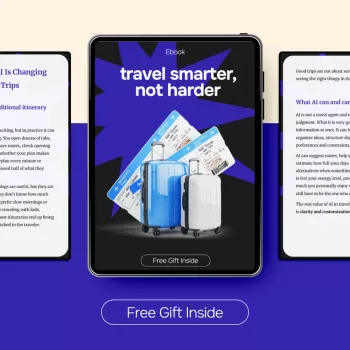
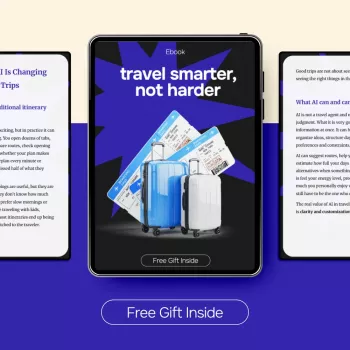
- Travel Smarter, Not Harder – AI for Travel Planning Itinerary eBook | Build Personalized Trips Faster focuses on turning preferences into a workable itinerary with templates and a step-by-step planning flow.
- Helpful for busy planners, first-time visitors to a destination, and anyone who wants a clear method rather than scattered tips.
- 3D Resin AirPods Max Case Alien Snake Design for protecting headphones during commutes and carry-on packing.
- Simple Ways to Control Pet Hair at Home – Practical Guide for Shedding Control at Home, Grooming Routines & Cleaner Living Spaces (Digital Download) if you’re prepping the house before travel or coordinating pet care.
FAQ
Which is the best AI tool to create a travel itinerary?
No single tool is best for everyone; the best choice depends on whether you need a structured day-by-day plan, mapping, budget tracking, or collaboration. Choose a tool that accepts real constraints (dates, pace, lodging location), can iterate quickly, and lets you export cleanly to notes or maps. Always verify critical details like opening hours and reservation rules on official sources.
What is the best AI trip planner app?
The best app is the one that matches how you travel: drafting quickly, saving places, and adjusting on the go. Prioritize offline access, map integration, and easy sharing with travel companions. A reliable workflow is pairing an AI draft with a mapping app to confirm distances and minimize transit time.















Leave a comment